Think it. Say it. Done.
Voice-to-text for Mac. Local AI, cloud engines, and smart profiles — in one free app that respects your privacy.
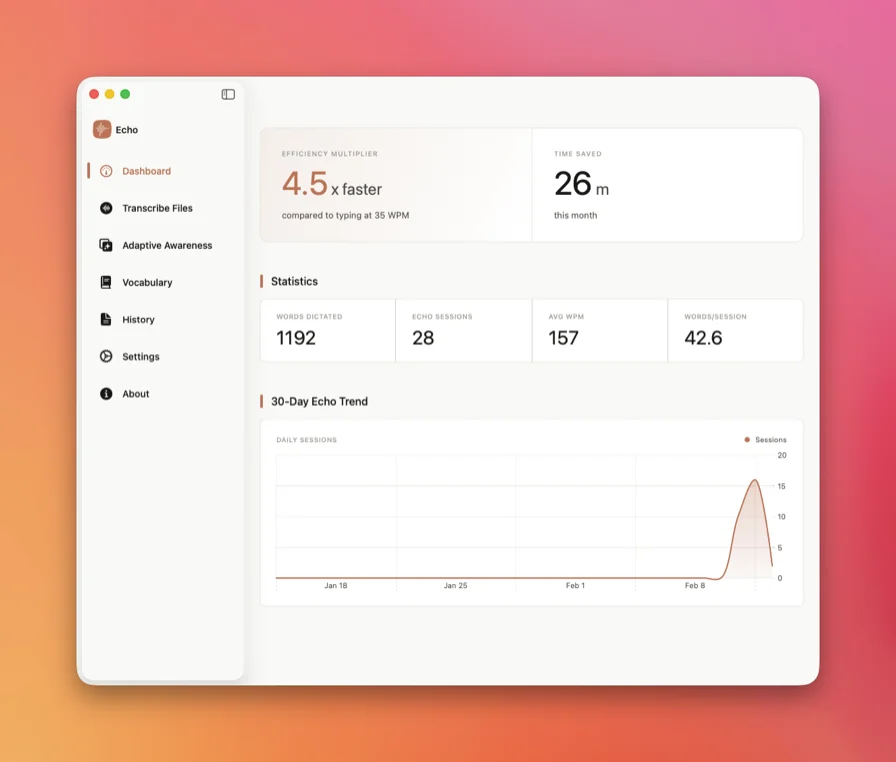
Voice typing should have worked by now.
It hasn't. Here's why.
Built-in dictation is built for basics.
Misheard words. No formatting. No technical terms. Fine for a grocery list — not for your actual work.
Good tools cost $15 a month.
Wispr Flow, Superwhisper — monthly subscriptions for something that should be a utility. You pay forever for a problem that’s already solved.
Your voice goes to someone else’s server.
Client notes. Medical records. Source code. All sent to infrastructure you don’t control, governed by policies you didn’t write.
Yesterday’s accuracy is today’s hallucination.
Cloud providers swap models without asking. The transcription that worked last week breaks this week. No warning. No recourse.
Thought to text in three steps.
No menus. No setup. No friction.
Press one key.
A global shortcut that works in any app, any window, any context. You set the key. Echo does the rest.
Just talk.
Speak naturally. Echo transcribes in real time using your preferred engine — on-device AI or cloud. Your choice.
Text. Instantly.
Appears at your cursor, lands in your clipboard, or gets polished by AI before it arrives. However you want it.
Built for the way
you work.
Every feature exists because someone needed it. Probably you.
Private by design. Powerful by default.
On-device models in multiple sizes — from lightweight to studio-grade. No internet required. No data leaves your Mac. And if you want cloud transcription, it's one toggle away. Your voice, your hardware, your call.
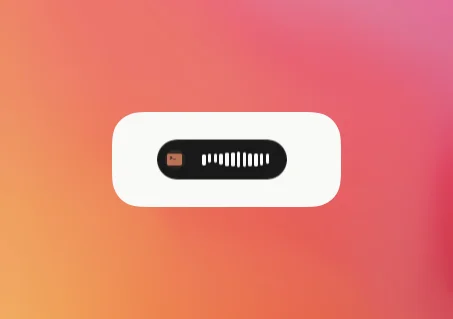
Stays out of your way.
A floating recorder that overlays whatever you're doing. Press your hotkey, speak, and watch the waveform respond. When you're done, it disappears.
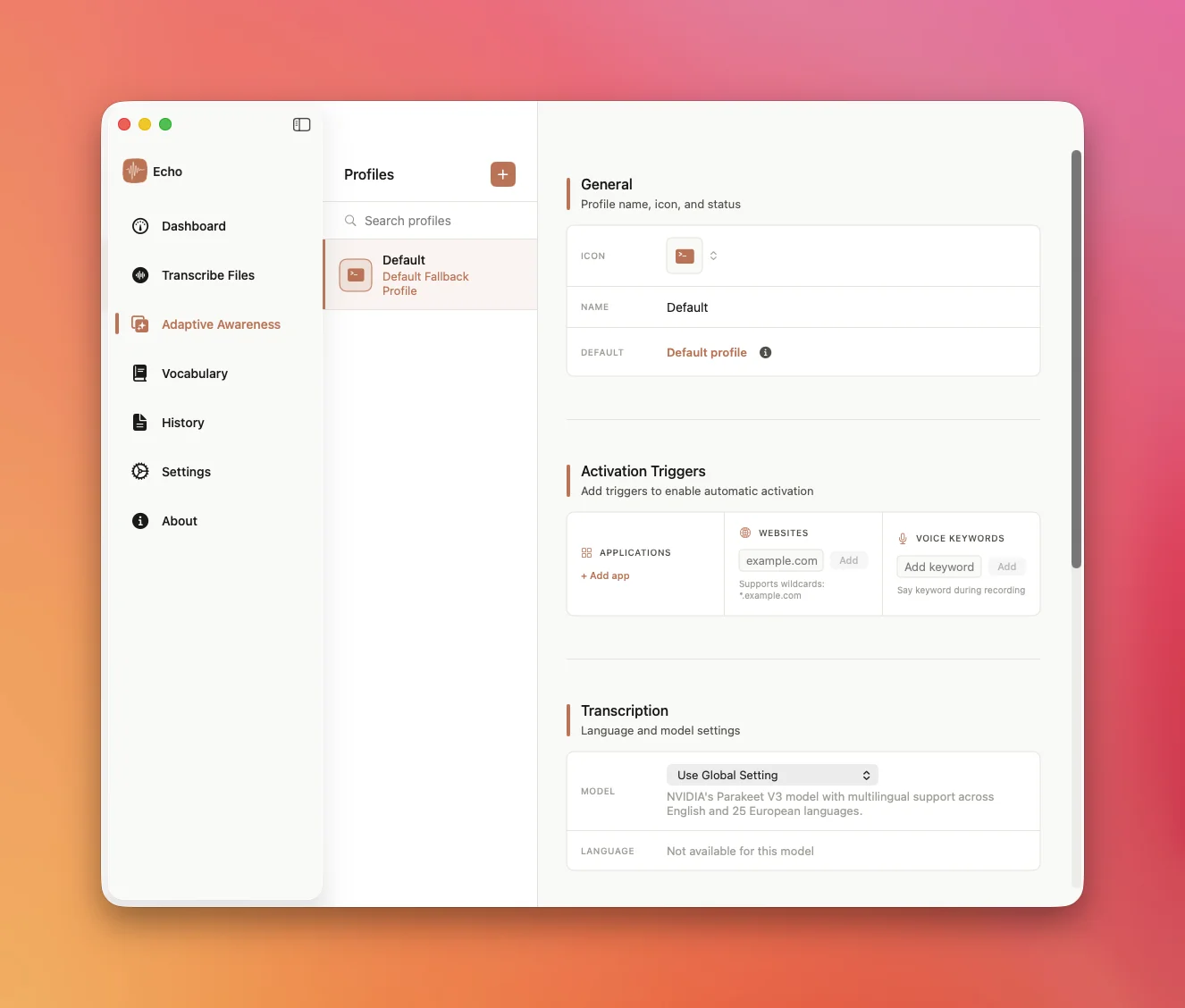
Echo reads the room.
Profiles that switch the moment your context changes. Prompting AI in ChatGPT? Technical vocabulary, no formatting. Drafting in Mail? Full sentences, proper punctuation. Chatting in Messages? Casual, fast, no fuss. You set it once. Echo handles the rest.
- App-aware — settings change with your active app
- URL-aware — profiles match the site you’re on
- Voice triggers — say a word, switch instantly
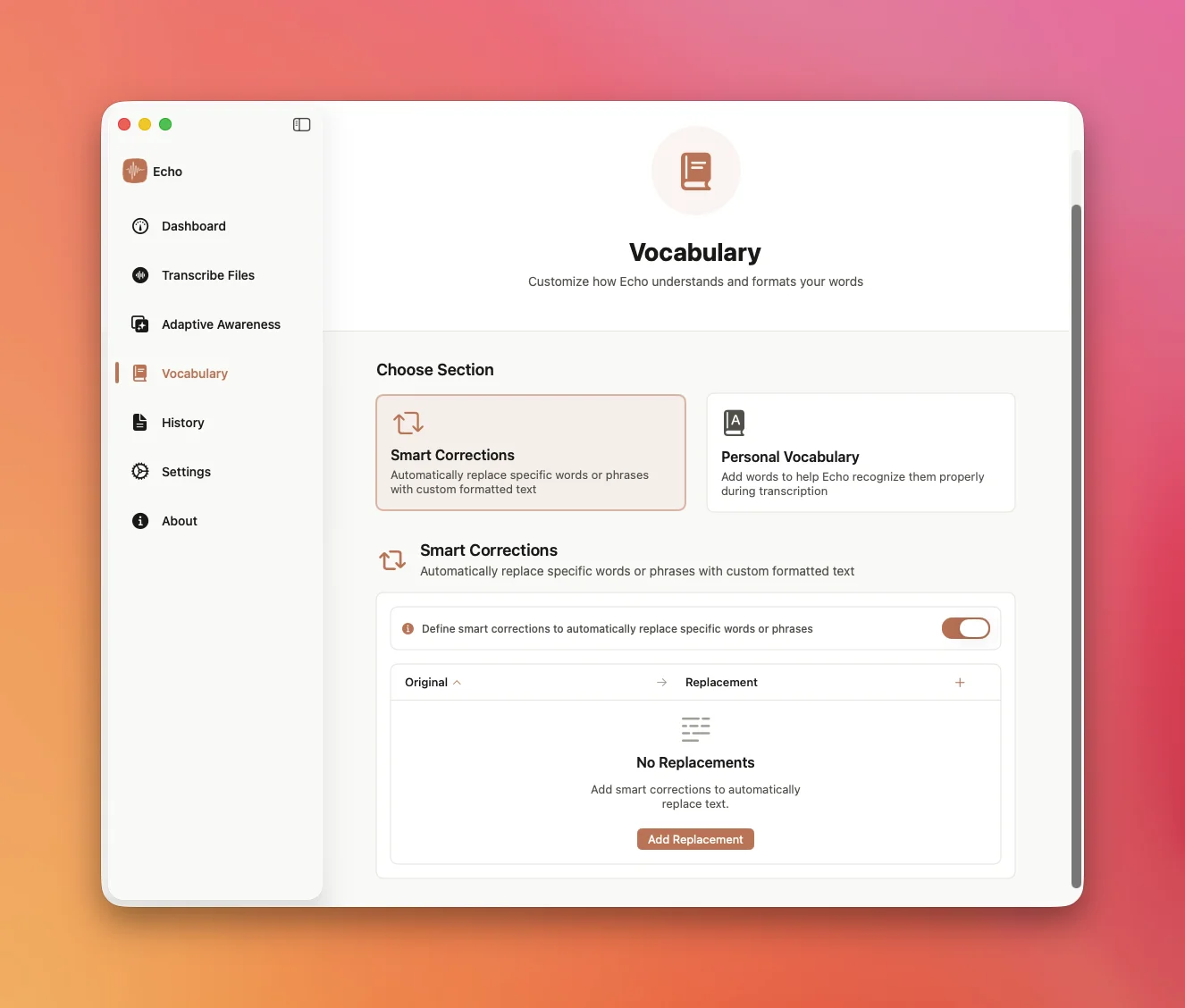
It speaks your language. Literally.
Add the words that matter to you — brand names, technical terms, abbreviations, the shorthand only your team uses. Echo learns them and gets them right, every time.
- Custom vocabulary — names, terms, and jargon, always accurate
- Auto-replace — say one thing, output another
- Smart corrections — accuracy that improves the more you use it
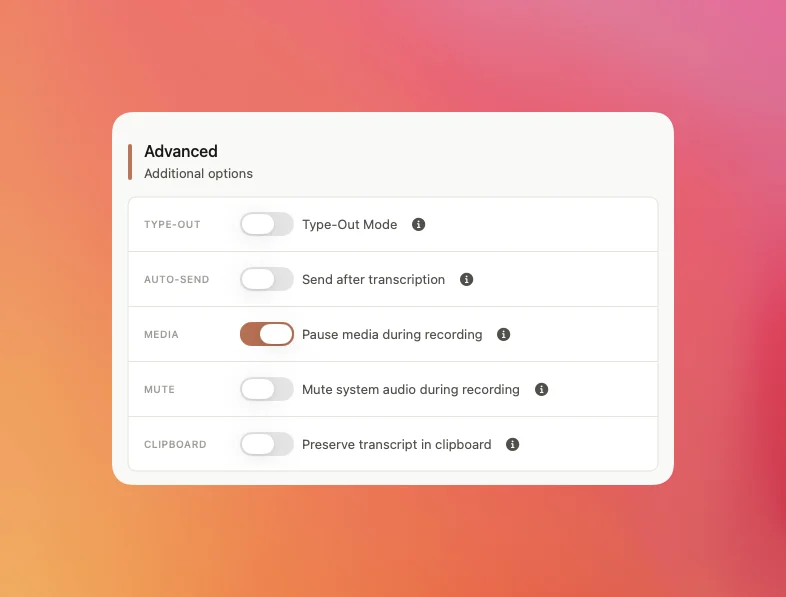
Your workflow. Down to the keystroke.
Type-Out Mode simulates real typing — character by character, in any app, even ones that block paste. Auto-Send transcribes and hits enter for you.
Pause your music when you start talking. Copy to clipboard or paste at cursor. Adjust every detail until it fits the way you work — then forget it's there.
The best of cloud.
The freedom of local.
OpenAI, Anthropic, Gemini, Mistral, Deepgram — every leading AI provider is one API key away. Or skip the cloud entirely and run Whisper or Parakeet right on your Mac. Both paths. One app. Always your data.
Same features. Zero cost.
See how Echo stacks up against the paid alternatives.
| Feature | Echo$0 | Wispr Flowfrom $15/mo | Superwhisperfrom $8.49/mo |
|---|---|---|---|
Price | Freeforever | $15/mo | $8.49/mo |
Offline transcription | |||
Audio stays on device | |||
Cloud providers | 5+ | 1 | 6+ |
Bring your own API keys | |||
Custom AI prompts | |||
Screen capture for AI | |||
Type-out mode | |||
Voice-triggered profiles | |||
Context-aware profiles | Limited | ||
Open source |
Don't take our word for it.
Take theirs.
“Honestly I just wanted something that worked without sending my stuff to the cloud. Turns out it's also way more accurate than Apple dictation? Like, noticeably better.”

Sarah K.
Freelance Writer
“The thing where it switches context based on what app you're in is wild. I'm in VS Code and it keeps my variable names intact, then I switch to Slack and it's casual again. Didn't even set it up.”

Marcus T.
Software Engineer
“I ramble through meeting notes and it just... formats them? With bullet points and action items? I used to spend 20 min cleaning up transcripts after every call.”

Priya R.
Product Manager
“Wait, this is free? I was paying for Otter. The local transcription is fast enough for interviews and I don't have to worry about source confidentiality.”

James L.
Journalist
“I keep sensitive interview data on-device with local models, but switch to cloud for quick lecture notes. Having both options in one app is exactly what I needed.”

Elena V.
Academic Researcher
“The type-out mode is so good. I dictate directly into Notion, Google Docs, whatever — it just types it out character by character like I'm actually typing. Works everywhere.”

David W.
Content Creator
“Honestly I just wanted something that worked without sending my stuff to the cloud. Turns out it's also way more accurate than Apple dictation? Like, noticeably better.”
Sarah K.
Freelance Writer
“The thing where it switches context based on what app you're in is wild. I'm in VS Code and it keeps my variable names intact, then I switch to Slack and it's casual again. Didn't even set it up.”
Marcus T.
Software Engineer
“I ramble through meeting notes and it just... formats them? With bullet points and action items? I used to spend 20 min cleaning up transcripts after every call.”
Priya R.
Product Manager
“Wait, this is free? I was paying for Otter. The local transcription is fast enough for interviews and I don't have to worry about source confidentiality.”
James L.
Journalist
“I keep sensitive interview data on-device with local models, but switch to cloud for quick lecture notes. Having both options in one app is exactly what I needed.”
Elena V.
Academic Researcher
“The type-out mode is so good. I dictate directly into Notion, Google Docs, whatever — it just types it out character by character like I'm actually typing. Works everywhere.”
David W.
Content Creator
“Honestly I just wanted something that worked without sending my stuff to the cloud. Turns out it's also way more accurate than Apple dictation? Like, noticeably better.”
Sarah K.
Freelance Writer
“The thing where it switches context based on what app you're in is wild. I'm in VS Code and it keeps my variable names intact, then I switch to Slack and it's casual again. Didn't even set it up.”
Marcus T.
Software Engineer
“I ramble through meeting notes and it just... formats them? With bullet points and action items? I used to spend 20 min cleaning up transcripts after every call.”
Priya R.
Product Manager
“Wait, this is free? I was paying for Otter. The local transcription is fast enough for interviews and I don't have to worry about source confidentiality.”
James L.
Journalist
“I keep sensitive interview data on-device with local models, but switch to cloud for quick lecture notes. Having both options in one app is exactly what I needed.”
Elena V.
Academic Researcher
“The type-out mode is so good. I dictate directly into Notion, Google Docs, whatever — it just types it out character by character like I'm actually typing. Works everywhere.”
David W.
Content Creator
“Honestly I just wanted something that worked without sending my stuff to the cloud. Turns out it's also way more accurate than Apple dictation? Like, noticeably better.”
Sarah K.
Freelance Writer
“The thing where it switches context based on what app you're in is wild. I'm in VS Code and it keeps my variable names intact, then I switch to Slack and it's casual again. Didn't even set it up.”
Marcus T.
Software Engineer
“I ramble through meeting notes and it just... formats them? With bullet points and action items? I used to spend 20 min cleaning up transcripts after every call.”
Priya R.
Product Manager
“Wait, this is free? I was paying for Otter. The local transcription is fast enough for interviews and I don't have to worry about source confidentiality.”
James L.
Journalist
“I keep sensitive interview data on-device with local models, but switch to cloud for quick lecture notes. Having both options in one app is exactly what I needed.”
Elena V.
Academic Researcher
“The type-out mode is so good. I dictate directly into Notion, Google Docs, whatever — it just types it out character by character like I'm actually typing. Works everywhere.”
David W.
Content Creator
Free. Forever. No catch.
Download Echo and start transcribing in under a minute. No account. No credit card. No data collection. Just your voice and your Mac.
macOS 13+ · Apple Silicon & Intel · Open source